Plan your day, protect your focus, and keep quick notes close at hand. Grove brings
Today’s tasks, Pomodoro sessions, and a memo grid into one calm desktop app—everything stays on
your machine, with no account required.
Install Grove:
When the download finishes, open your notification shade or Downloads, tap
Grove-android-debug.apk, and allow install from this browser or file manager if asked.
Today
Tasks
3 of 5
Design
Review design mockups
Dev
Fix navbar layout bug
Admin
Send weekly report
Three tabs, one app
Everything you need, nothing extra
Switch between Tasks, Focus, and Memo from the bottom nav — same forest-glass
shell,
different rhythms for planning, doing, and capturing.
Tab 1
Tasks
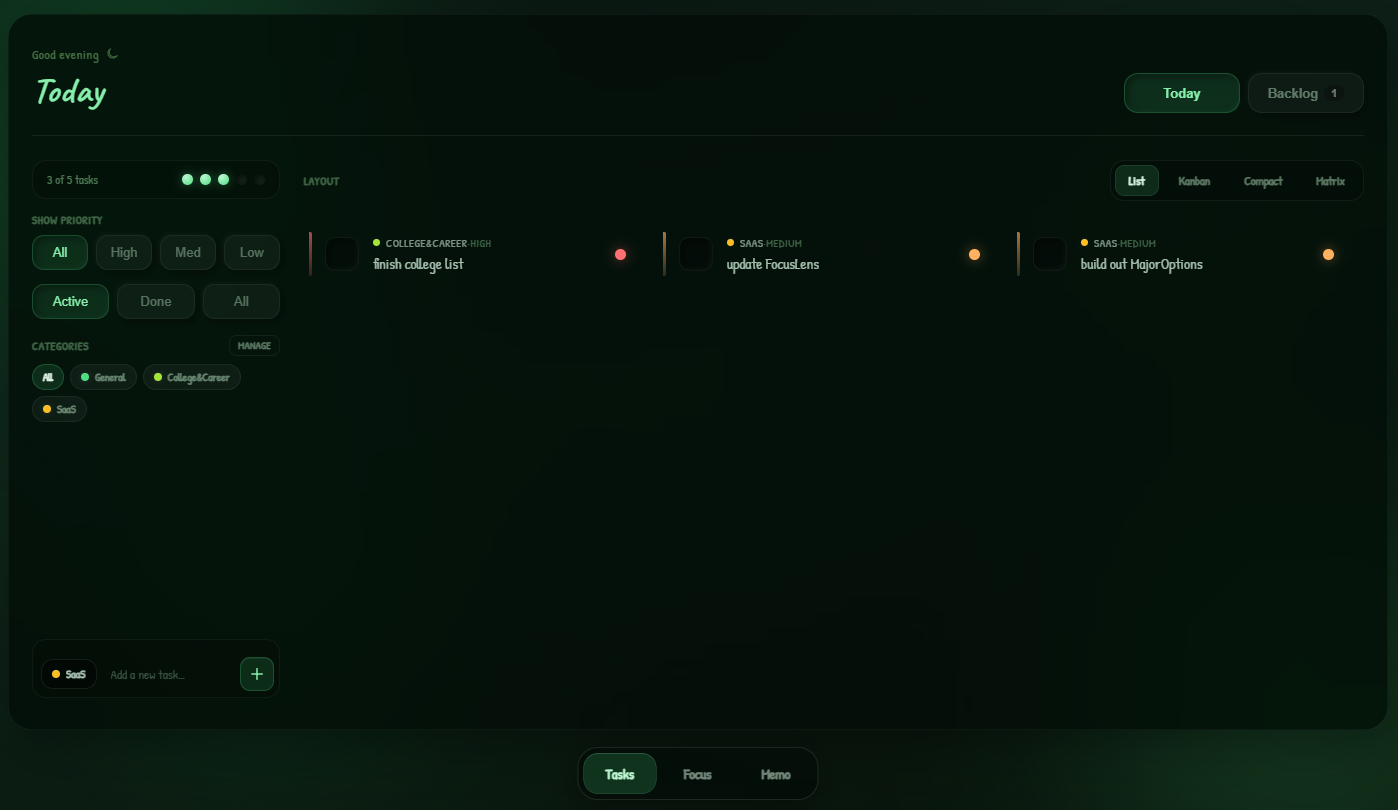
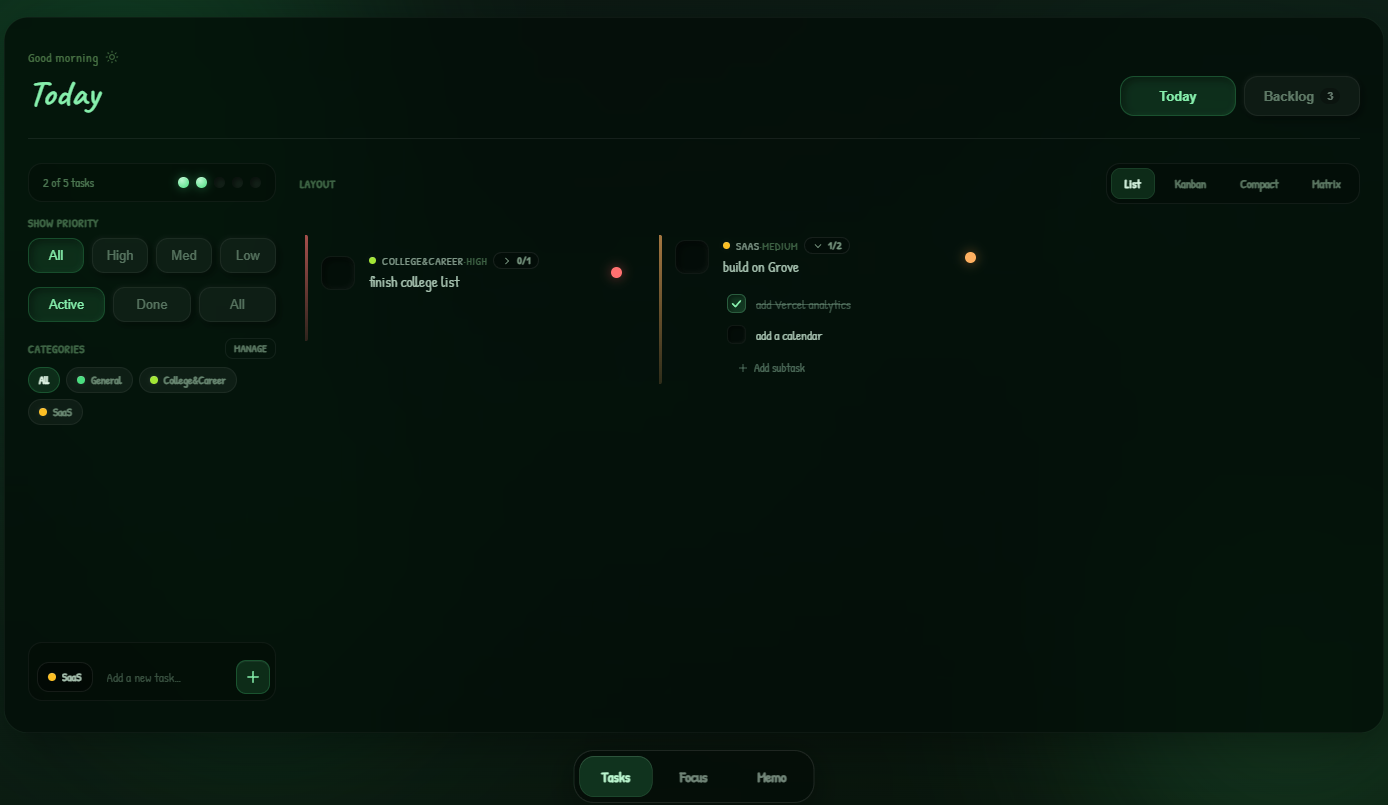
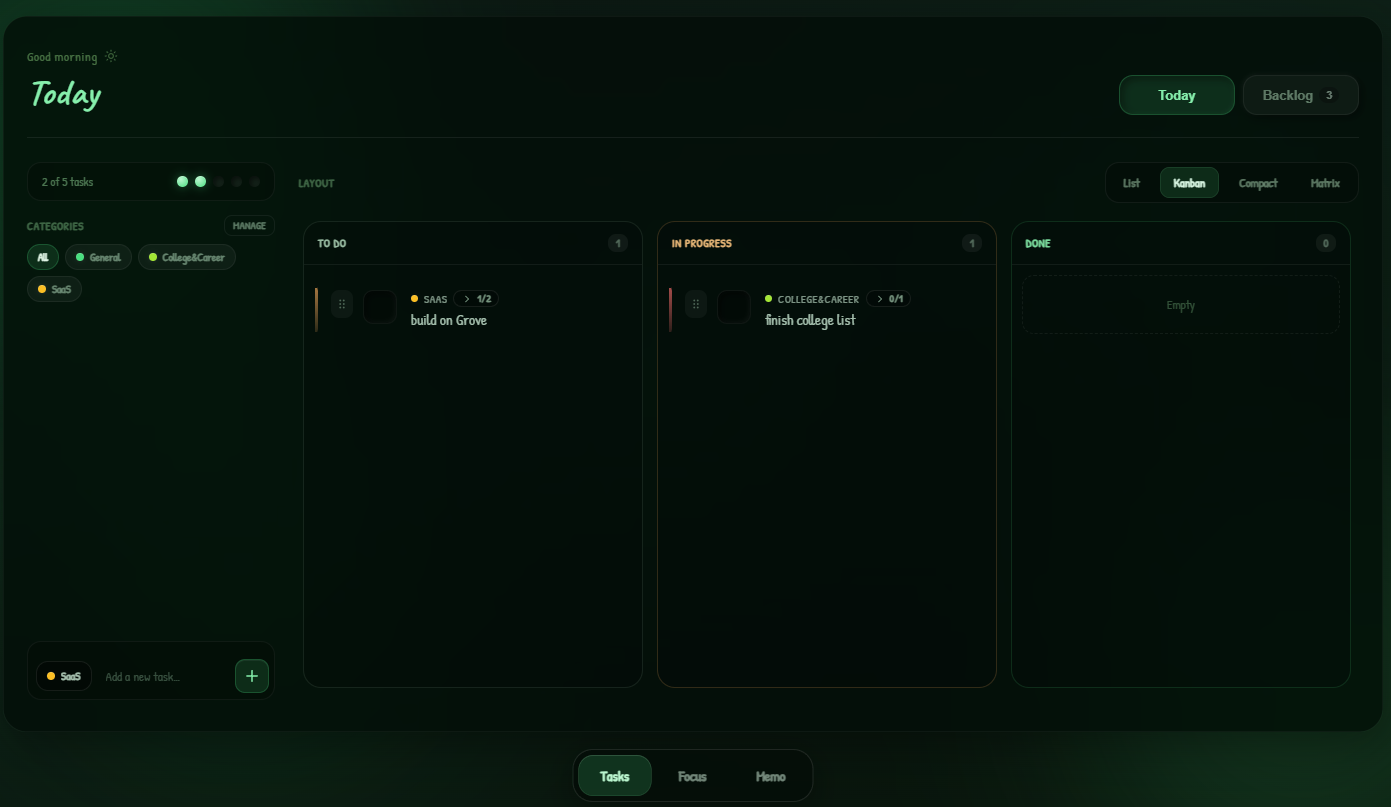
Today holds up to five active tasks with a visible cap meter.
Everything
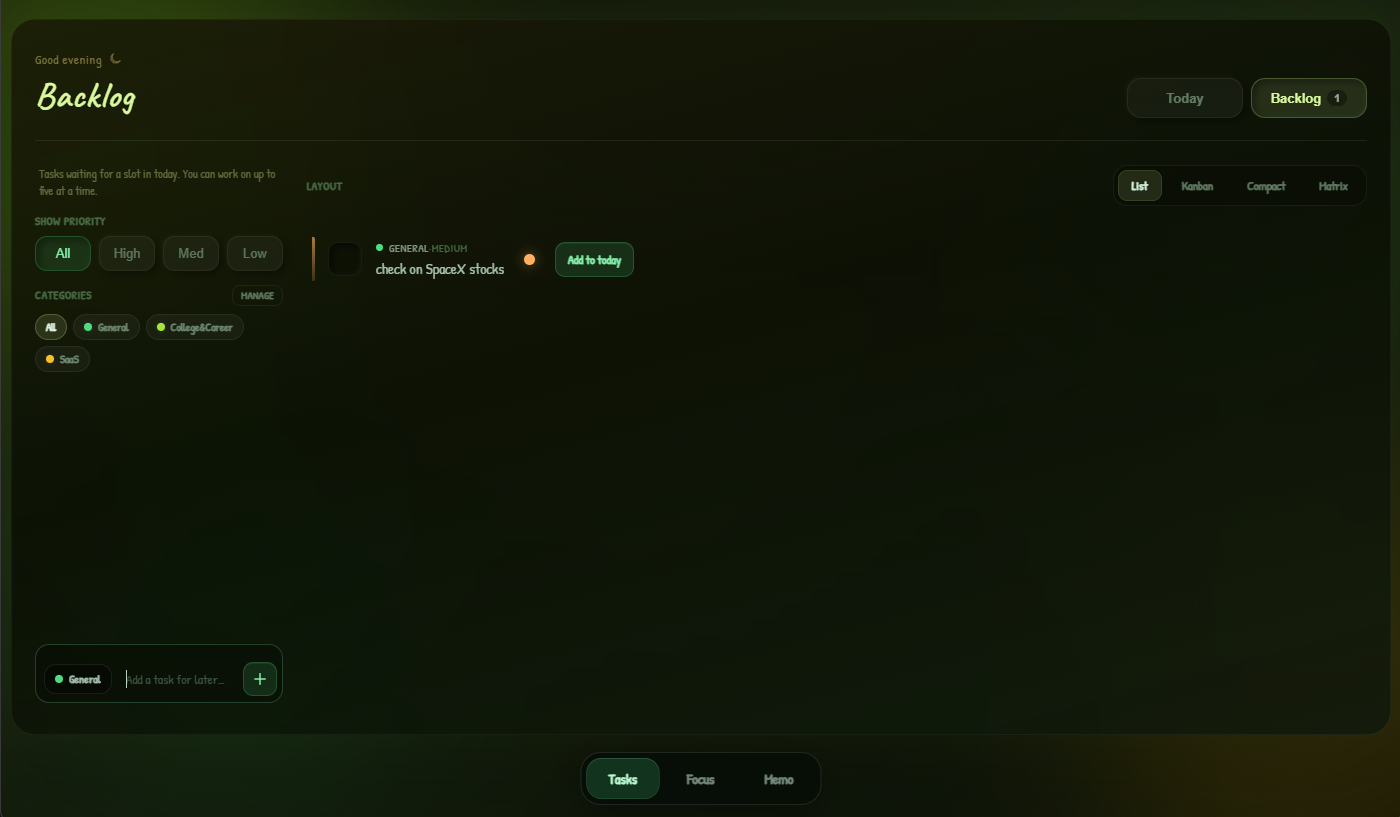
else waits in Backlog until you pull it forward.
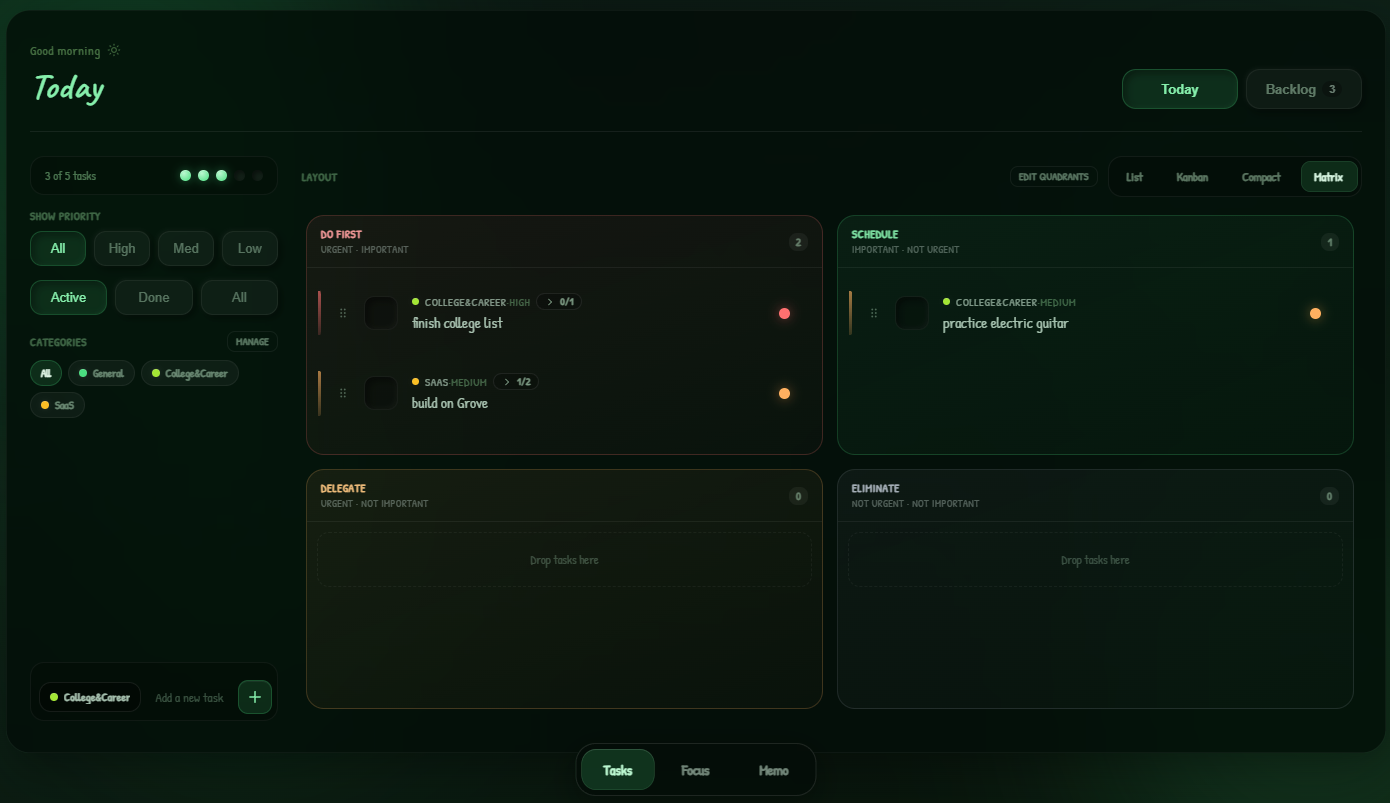
Kanban workflow board (To Do, In Progress, Done) with drag-and-drop; List, Compact &
Matrix
Categories & subtasks; priority orbs in List, Compact & Matrix
Backlog warms to yellow-green when you browse it
Tab 2
Focus
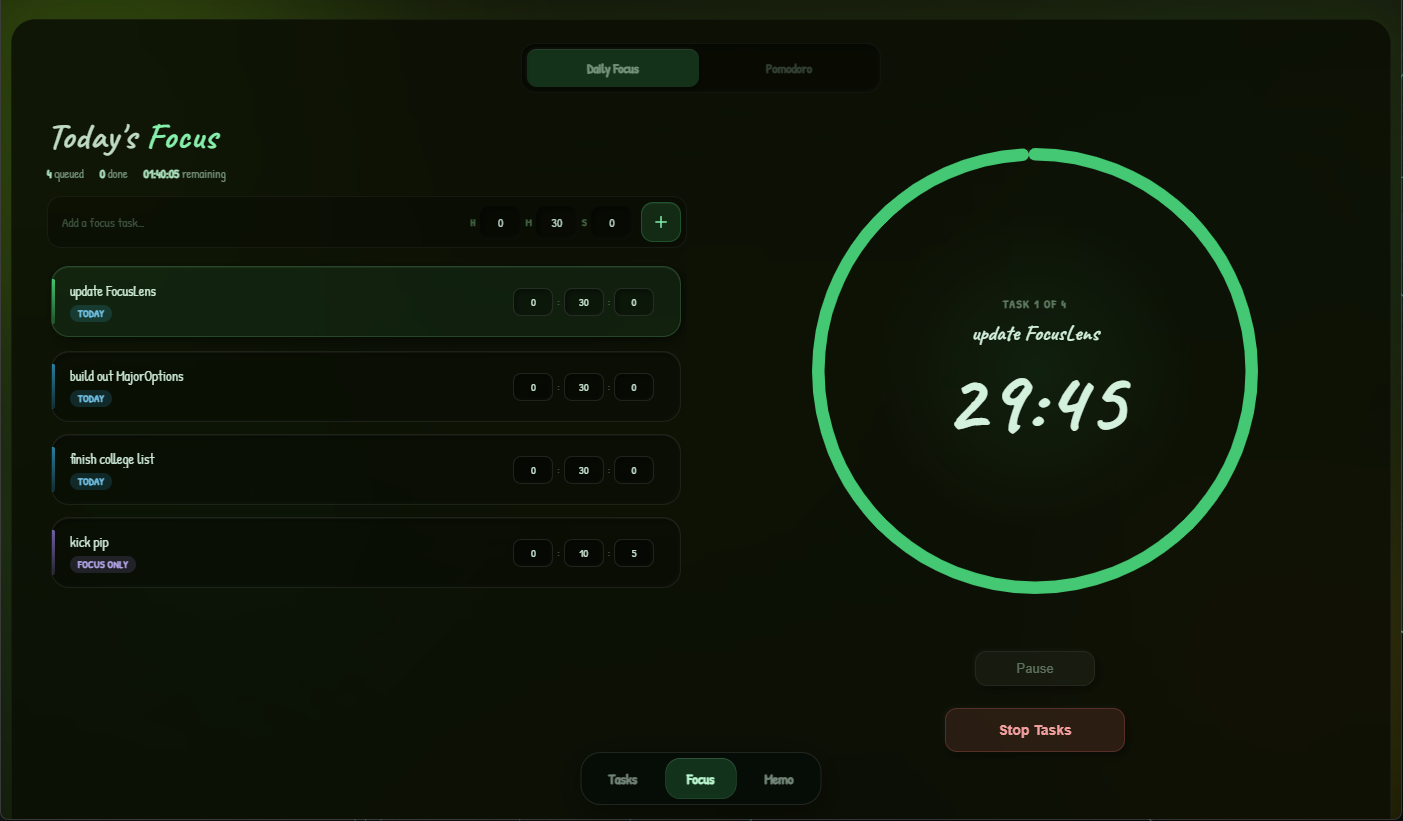
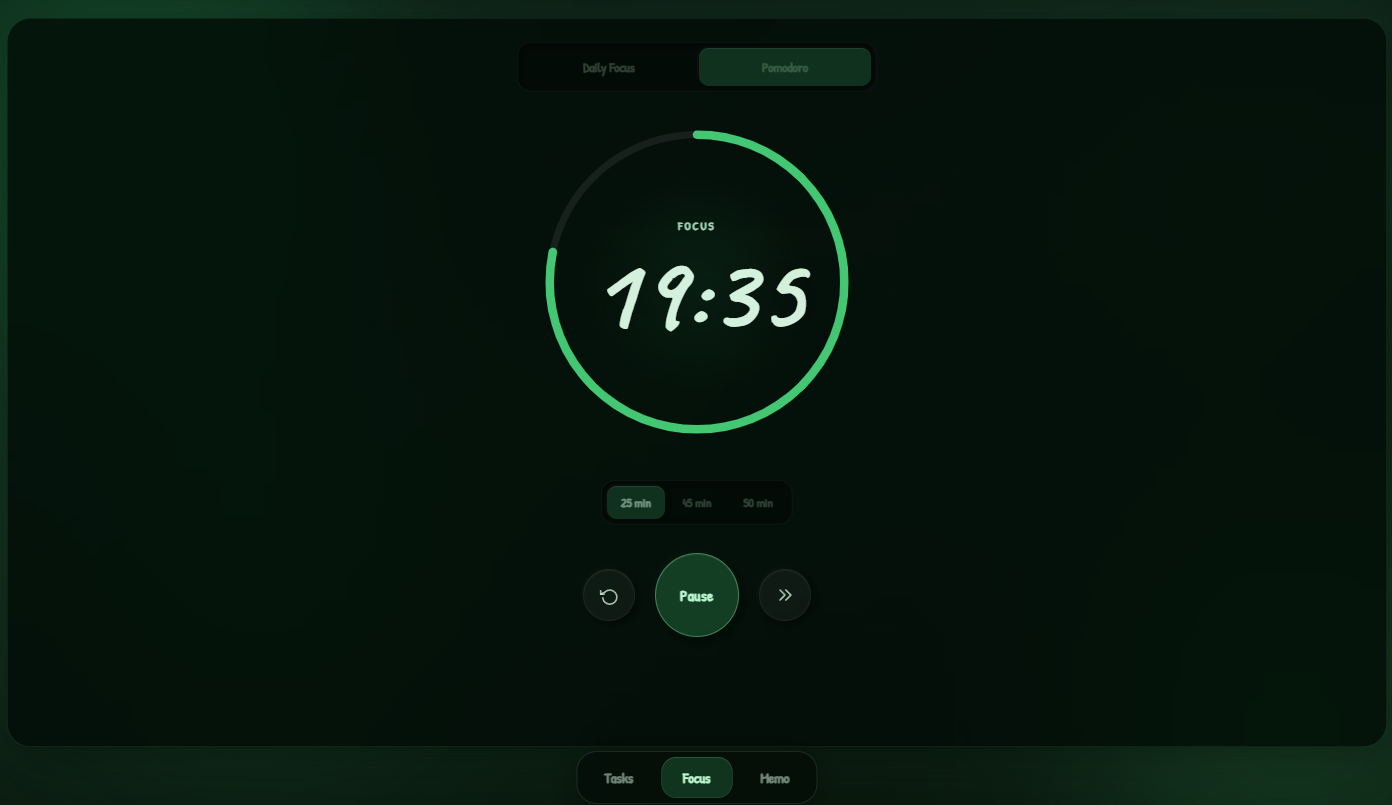
Pick what matters today, run a focus session, or switch to Pomodoro
when
you need timed sprints.
Daily Focus queue + session panel
Pomodoro with work / break phases
Begin Tasks when your queue is ready
Tab 3
Memo
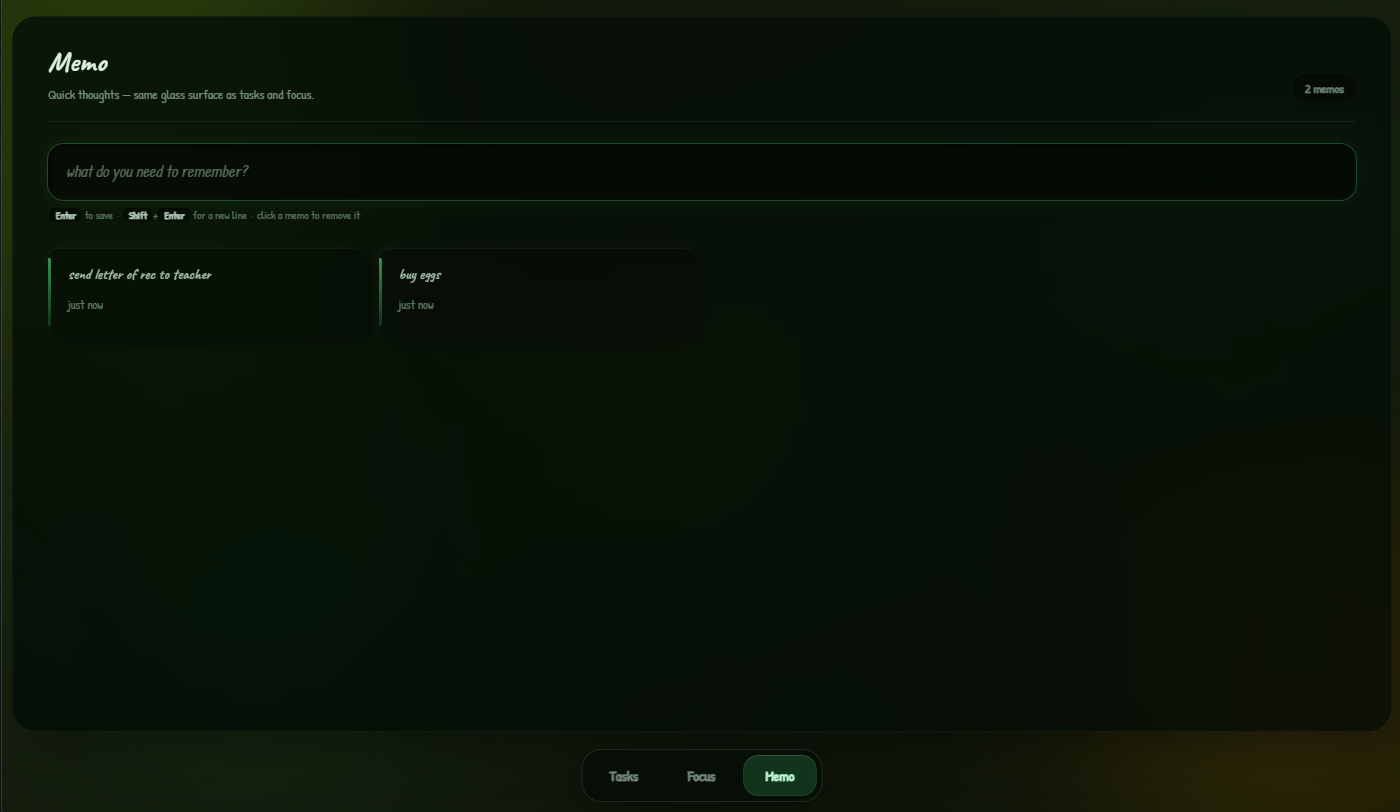
Quick capture on the same frosted-glass surface as Tasks and Focus —
memo cards in a responsive grid, with a green accent stripe. Thoughts that are not quite
tasks.
Glass memo cards with spring hover lift
Inset composer — Enter to save, Shift+Enter for a new line
Click to remove with a soft sink animation
See it in action
Tasks, Focus & Memo — same calm shell
The three tabs you just read about — swipe or use the arrows to browse real app
views on desktop.
Designed to feel, not just function
Dark forest-green glass over slow-drifting blobs. Cards lift on hover with spring easing;
checkboxes and trays use a soft neumorphic raised/inset language — tactile without
skeuomorphic
chrome.
All three tabs share that same shell — Tasks, Focus, and Memo use matching glass cards and
neumorphic inset fields. Focus stays minimal: queue, timer, one clear next action.
Spring physicsFrosted glassToday cap (5)Priority orbsReduced motion
Design
Review design mockups
Planning
Write sprint retrospective
Dev
Update dependencies
Backlog
Sketch onboarding flow
Built into the app
Small rules, big clarity
Grove nudges you toward a sustainable daily load — the tour covers the basics;
these are the touches you'll reach for once you're settled in.
Today cap
Five active slots max — the dot meter in the sidebar shows how full
Today is, turning amber at the limit. Finish something or hit Add to today on a backlog card
when a slot opens; everything else waits patiently in Backlog.
Three layouts
List for flow and priority orbs, Kanban as a To Do / In Progress / Done
board — drag between columns on desktop, tap stage pills on mobile — Matrix for Eisenhower
sorting. Flip the Layout bar anytime; same tasks, different lens.
Focus modes
Daily Focus lines up today's queue — add with +, hit Begin Tasks, work
through one timed session at a time. Pomodoro swaps in repeating work and break cycles when
you need structure instead of a free-flowing queue.
Memo grid
Glass memo cards for quick thoughts that aren't quite tasks — type in
the composer, Enter to save, Shift+Enter for a new line. Browse the grid below; click a
card to clear it without opening a second app.
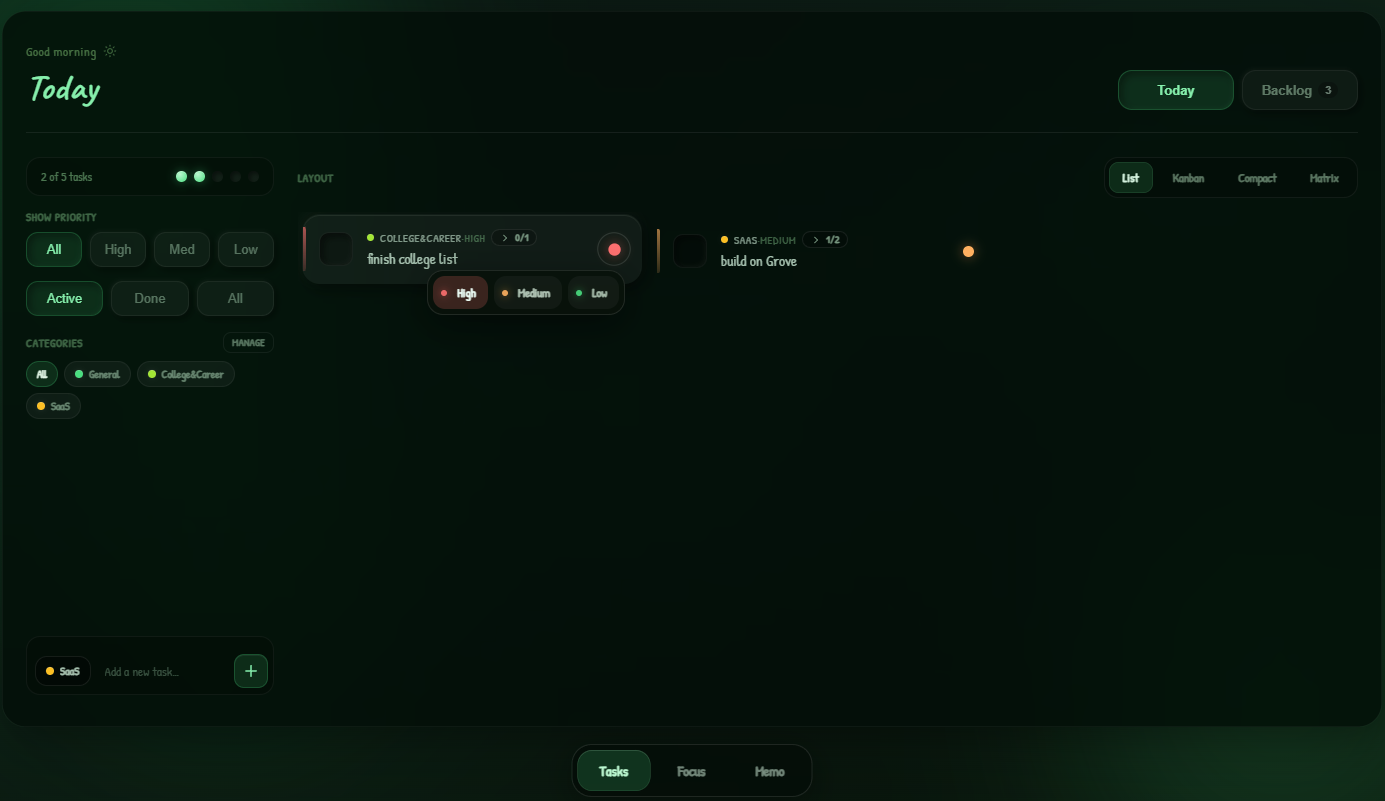
Priority orbs
Each task carries a glowing orb on the right — click it for high,
medium, or low. Color carries urgency without turning every row into a form; change priority
anytime without reopening the task.
Completion motion
Strike-through, slide-away dismiss when you check a Today task off,
memo sink on delete — finishes feel like release. Reduced-motion respect when your system
asks for it.
Subtasks
Tap the + pill on any task tag — or its step count — to spin up or
open a checklist. Add steps inline, tick them off one by one, and keep the parent honest
without spawning five separate rows.
Your matrix labels
In Matrix layout, hit Edit quadrants to rename each title and subtitle
— Do / Schedule / Delegate / Eliminate become whatever language you actually use. Drag
tasks between quadrants when priorities shift.
Custom categories
Your own labels with color dots — Manage in the sidebar to add or
rename, tap chips to filter Today and Backlog, pick a default from the category chip when
you add a task.
Filters & quick moves
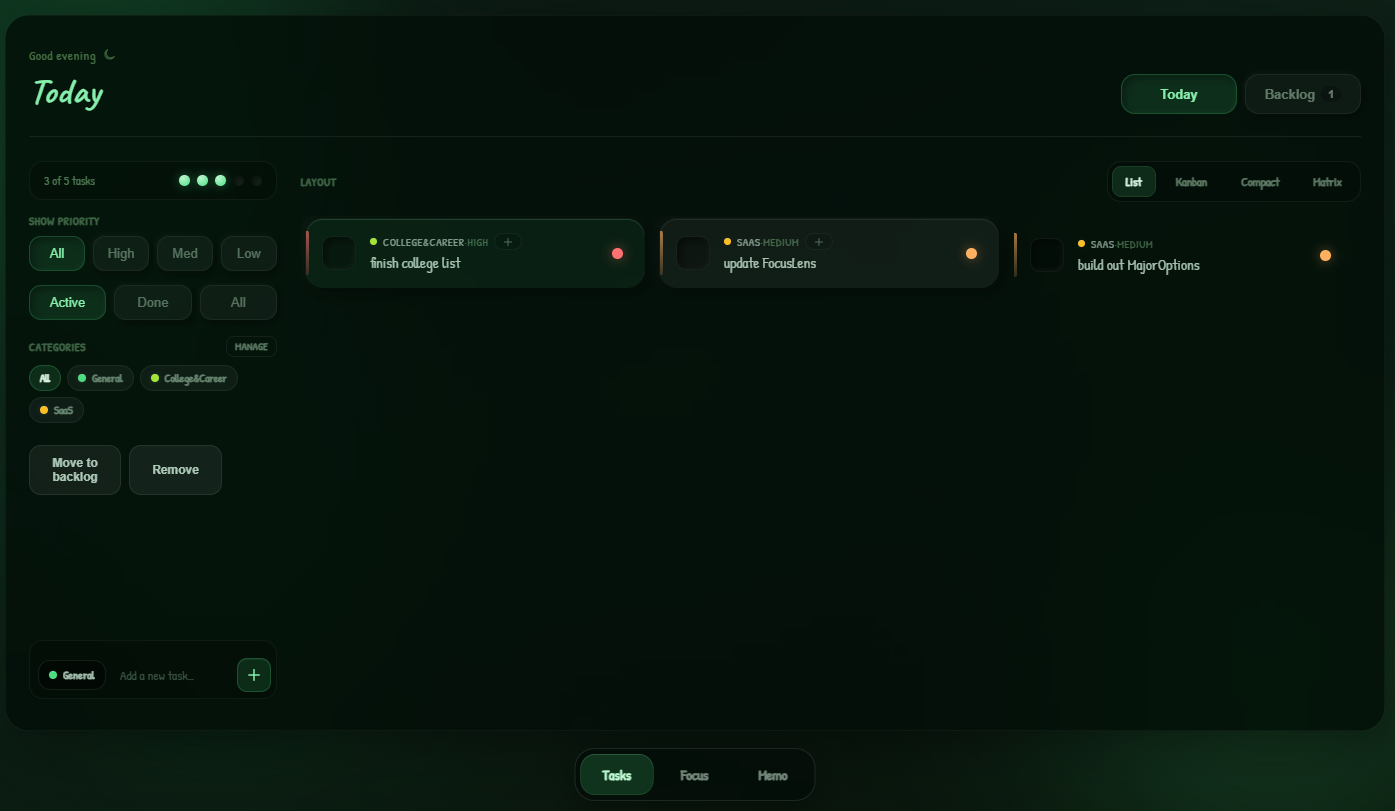
Slice Today by Active, Done, or All; filter by priority from the
sidebar. Select a task for one-click Move to backlog, Add to today, or Remove — no buried
menus.
"Five tasks today beats fifty on a list you'll never touch. Clarity is the feature."
Grove
Stays out of the way
A desktop app that stays out of the way
Built with Tauri 2. Close the window and it retreats to the tray or menu bar —
click the icon to bring it back. One instance, local storage, no subscription.
Hide on closeSingle instancelocalStorageCross-platform
Ready for a calmer desktop?
Free on desktop. No account, no cloud — just install and go.